Merchant scans your code
Common at supermarkets, convenience stores, coffee shops, malls, and larger restaurants.
- Open Alipay
- Tap Pay / Receive
- Show your payment QR code to the cashier
- The cashier scans your code
- Confirm the payment if prompted
 Shanghai Connect
上海指南
Shanghai Connect
上海指南
Payments Guide · Updated July 2026
Download, set up, link your international card, pay by QR code, and use Alipay for transport in Shanghai — step by step.
Best for
Alipay is one of the first apps you should set up before arriving in China. In Shanghai, it is used for everyday payments, metro and bus rides, taxis, restaurants, convenience stores, shopping malls, hotels, tourist attractions, and many other daily services.
For foreigners, Alipay is especially important because many places in China rely heavily on QR code payments. International credit cards are not always accepted directly at smaller shops, restaurants, markets, or local service providers. Alipay helps bridge that gap by allowing many overseas visitors to link an international bank card and pay through the app.
Why it matters
Alipay is more than a payment app. It is a daily-life app that helps you do many of the things you need as soon as you arrive in China.
You can use Alipay to:
For Shanghai specifically, the official Shanghai government website describes Alipay as an essential app and a popular method for paying for things. It also lists WeChat Pay and Alipay as the two major digital payment methods in China. (english.shanghai.gov.cn)
Step 0
Download the official app called Alipay or Alipay – Simplify Your Life.
| Device | Download source | What to check |
|---|---|---|
| iPhone | Apple App Store | Developer: Alipay (Hangzhou) Technology Co., Ltd. |
| Android | Google Play | Developer: Alipay (Hangzhou) Technology Co. Ltd |
| Huawei / China Android | Huawei AppGallery or trusted Chinese app stores | Use the official listing only |
Tip: Avoid random APK download websites unless you have no other option. For most users, the safest choice is the Apple App Store, Google Play, Huawei AppGallery, or an official Alipay download QR code.
Before you start
Before setting up Alipay, prepare the following:
| Requirement | Why it matters |
|---|---|
| Mobile phone number | Used for registration and SMS verification |
| Passport | Often needed for identity verification |
| International bank card | Used to make payments through Alipay |
| Internet connection | Required for setup, verification, and QR payments |
| Backup payment method | Useful if your card is declined or a merchant payment fails |
Step-by-step setup
Follow these four steps to get Alipay working with your international bank card.
Open the Alipay app and register using your mobile phone number. You do not always need a Chinese mainland phone number to get started. Shanghai's official guide notes that Alipay has streamlined registration for overseas visitors, removing the need to open a prepaid account or obtain a Chinese phone number. (english.shanghai.gov.cn)
After signing up, choose International Version if the app prompts you. This version is tailored for overseas travellers and includes services such as translation and currency conversion.
Typical path: Me → Settings → Region → International Version. The exact wording may change depending on your app version.
To add a card, open: Me → Bank Cards → Add Bank Card, then follow the in-app instructions.
Visa, Mastercard, Diners Club International, and Discover are supported networks. (english.shanghai.gov.cn)
Some users may be asked to complete identity verification before using all payment features. This usually involves entering your passport information and following the app's verification steps.
Use your legal name exactly as it appears on your passport. If your bank card name and Alipay identity name do not match, card linking or payments may fail. Shanghai's payment guide specifically notes that the name on your credit card should match the registered name on your Alipay account for successful linkage and transactions. (english.shanghai.gov.cn)
Making payments
There are two main ways to pay with Alipay in China.
Common at supermarkets, convenience stores, coffee shops, malls, and larger restaurants.
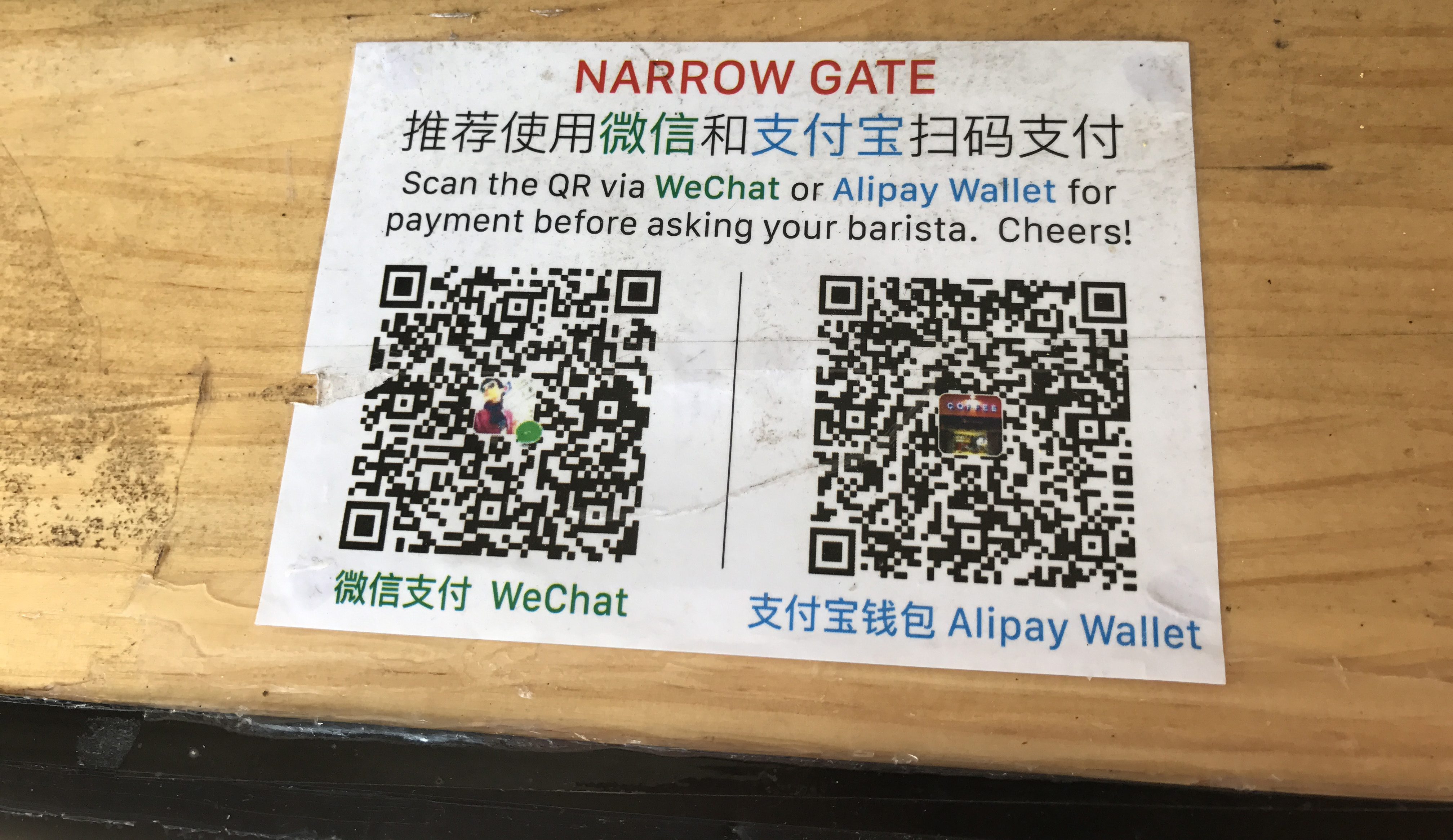
Common at smaller restaurants, street vendors, local shops, markets, and some taxis.
Navigation
The Alipay home screen can feel overwhelming at first because it includes payments, transport, mini-programs, services, promotions, and search features. Newcomers should focus on the core buttons first.
| Alipay feature | Chinese | What it does |
|---|---|---|
| Scan | 扫一扫 | Scan merchant QR codes, restaurant codes, bike codes, and mini-programs |
| Pay / Receive | 付款 / 收款 | Show your payment code to merchants |
| Transport | 出行 | Access metro, bus, taxi, and transport-related services |
| Search | 搜索 | Search for mini-programs, services, brands, and places |
| Me | 我的 | Manage profile, settings, bank cards, and verification |
| Bill | 账单 | View payment history |
| Mini Programs | 小程序 | Access services inside Alipay without downloading separate apps |
Beginner tip: For your first week in Shanghai, focus only on Scan, Pay / Receive, Transport, and Me. You can explore the rest later.
Getting around
Alipay can be used for public transport in supported cities, including transport-related services in Shanghai. Inside the app, look for Transport or 出行.
Make sure you have internet access before entering the metro station.
Select Shanghai if prompted to choose a city.
Tap to generate the metro or bus QR code. This may take a moment on first use.
Hold your phone screen up to the QR code scanner at the metro gate or bus scanner.
Recommended backup: Keep a small amount of RMB cash or a transport card available when you first arrive, especially before your Alipay account is fully tested.
For a full guide to getting around Shanghai, see the Shanghai Metro Guide and Shanghai Transportation Guide.
Foreign card limitations
Alipay is very useful for daily payments, but foreign-linked cards do not unlock every feature available to local Chinese users.
| Feature | Usually available to foreign card users? | Notes |
|---|---|---|
| Pay merchants by QR code | Yes | Main use case |
| Pay in restaurants and shops | Yes | Works widely, but some failures can happen |
| Use transport QR codes | Often yes | Availability depends on city and setup |
| Link international bank card | Yes | Supported for many major card networks |
| Person-to-person transfers | Usually no | Not supported for international bank cards |
| Red packets | Usually no | Restricted for international bank cards |
| Wealth management / insurance | No | Not available for international card users |
| Full local banking-style functions | No | Requires local eligibility |
International bank cards can be used for daily purchases in mainland China, but do not support person-to-person transfers, red packets, wealth management services, insurance services, or other financial services. (Alipay+)
Good to know
Payment rules can change, and fees may vary depending on the card, app version, payment method, and issuing bank. Always check the payment confirmation screen before paying.
China's official government website says the single transaction limit for overseas visitors using mobile payments was raised from USD 1,000 to USD 5,000, and the annual cumulative transaction cap was raised from USD 10,000 to USD 50,000. (State Council of China)
For exchange rates, payments using Alipay+ foreign exchange rates are updated and disclosed every business day, while exchange rates for international bank cards on Alipay are provided by the card scheme and issuing bank. (Alipay+)
Practical tip: Before making a large purchase, check whether your card issuer adds a foreign transaction fee. Your bank may charge separately from anything shown inside Alipay.
Common problems
| Problem | What to try |
|---|---|
| SMS code does not arrive | Check country code, try mobile data instead of Wi-Fi, wait and retry |
| Card cannot be added | Check card supports international transactions, try another Visa/Mastercard, contact your bank |
| Passport verification fails | Make sure your name matches your passport exactly |
| Payment is declined | Try a smaller amount, another card, or ask the cashier to scan your code |
| App still shows Chinese | Switch to International Version or use screenshot translation |
| Transport QR code does not work | Confirm the city is set to Shanghai and the transport card is activated |
| Merchant says Alipay does not work | Try WeChat Pay, cash, or a physical card if accepted |
| Large transaction fails | Check app limits, card limits, fraud alerts, and bank restrictions |
Which one?
For newcomers to Shanghai, the best answer is: set up both Alipay and WeChat Pay.
Alipay is often easier for payments, transport, travel services, and some tourist-friendly features. WeChat Pay is important because WeChat is widely used for messaging, groups, restaurants, mini-programs, and local services.
Best setup for Shanghai newcomers:
For payments, transport, taxis, and travel services.
For social payments, restaurant mini-programs, groups, and local services.
As a backup, especially in your first few days.
A card that works overseas, in case a digital payment fails.
Worth setting up if you are staying long term.
Read the full guide: How to Use WeChat Pay as a Foreigner in China
Pre-arrival checklist
Before your flight to Shanghai, try to complete this checklist.
From the App Store or Google Play. Check the developer name before downloading.
Your own number works — you do not need a Chinese number to register.
Me → Settings → Region → International Version.
Me → Bank Cards → Add Bank Card. Use a Visa or Mastercard for best compatibility.
Use your legal name exactly as it appears on your passport.
Tap to make sure your payment code generates correctly.
Tap Transport → Shanghai to activate it before you need it at the metro gate.
Try a small purchase at a convenience store to confirm your card works before a larger transaction.
Security
Use Alipay carefully, especially during your first few days in China.
Alipay+ lists customer service numbers for payment-related questions, including a local China number and an overseas number, with service hours Monday to Sunday, 08:00–24:00 GMT+8. (Alipay+)
Frequently asked questions
Yes. Foreign visitors can download Alipay, register, and link eligible international bank cards. Alipay+ says overseas users can choose International Version and bind a bank card to start using mobile payments across China. (Alipay+)
Not necessarily. Shanghai's official guide says Alipay has streamlined registration and verification for overseas visitors, eliminating the need to open a prepaid account or obtain a Chinese phone number. (english.shanghai.gov.cn)
Yes, many foreign visitors can link eligible international cards. Shanghai's official guide lists Visa, Mastercard, Diners Club International, and Discover as supported networks. (english.shanghai.gov.cn)
Alipay's App Store and Google Play listings state that Alipay is not designed or intended for use by foreign users in their home country or outside China.
Usually not with an international bank card. Alipay+ says international bank cards do not support person-to-person transfers or red packets. (Alipay+)
Neither is strictly better. Alipay is excellent for payments, transport, travel, and tourist-friendly services. WeChat Pay is important because WeChat is deeply connected to communication, restaurants, groups, and local mini-programs. Most Shanghai newcomers should set up both.
Yes, at least at the beginning. Mobile payments are widely used, but cash is useful if your phone dies, your card is declined, your app verification fails, or a specific payment flow does not work.
Next step
Set up payments, apps, and transport with the Shanghai starter guides, then explore neighbourhoods and daily life at your own pace.